
Job details
Nina takes a request from Arden Gallery. She selects the AeroFlow VRF 240 at the Arden Hall site and records what needs inspecting.
View the app screenshot
AeroFlow VRF 240
For HVAC service companies
Schedule visits, assign jobs and collect reports from the field. Your office and service teams work in one app.
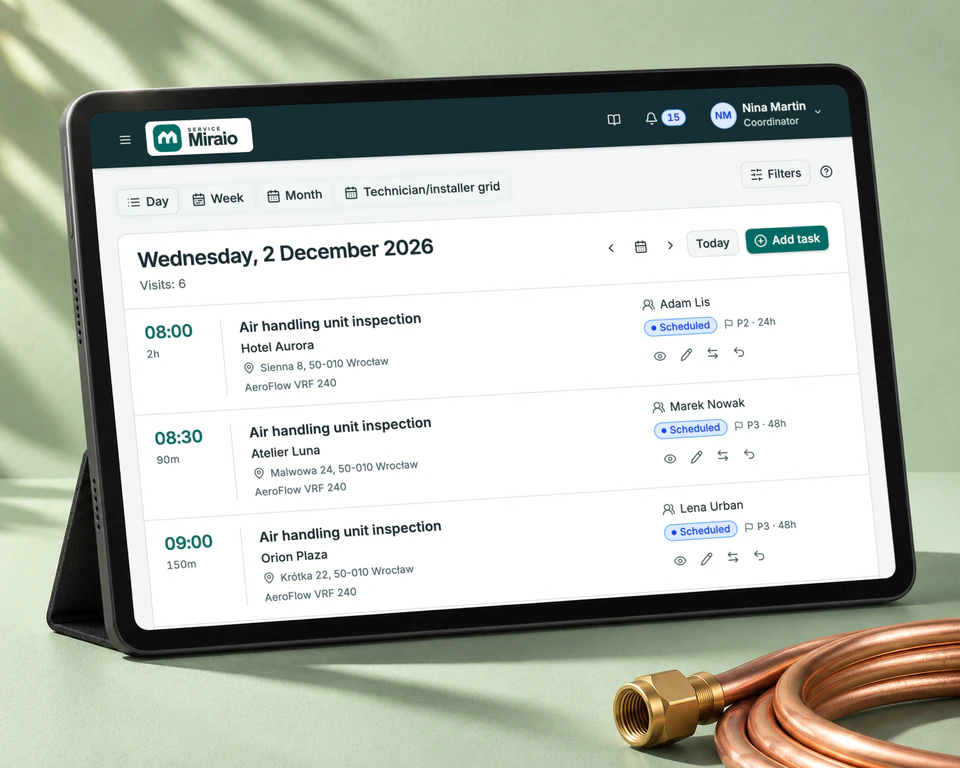
The app in action
Follow a request from the office to a service technician or installer in the field, then back to the coordinator with the visit report.
Nina takes a request from Arden Gallery. She selects the AeroFlow VRF 240 at the Arden Hall site and records what needs inspecting.
View the app screenshotNina books the visit for 11:00 and assigns it to Adam Lis. The team schedule shows his task alongside the other visits.
View the app screenshotAdam opens the task on his phone and starts the timer. After the inspection, he records a note and finishes the job.
View the app screenshotThe technician will fill out a standard report in the app. The customer will sign it on site, for example on a tablet. The signed report will be saved to the job immediately, ready for the coordinator to review.
You can already attach a photo of a paper report to a job. This option will remain available.
View a job with a photo of the report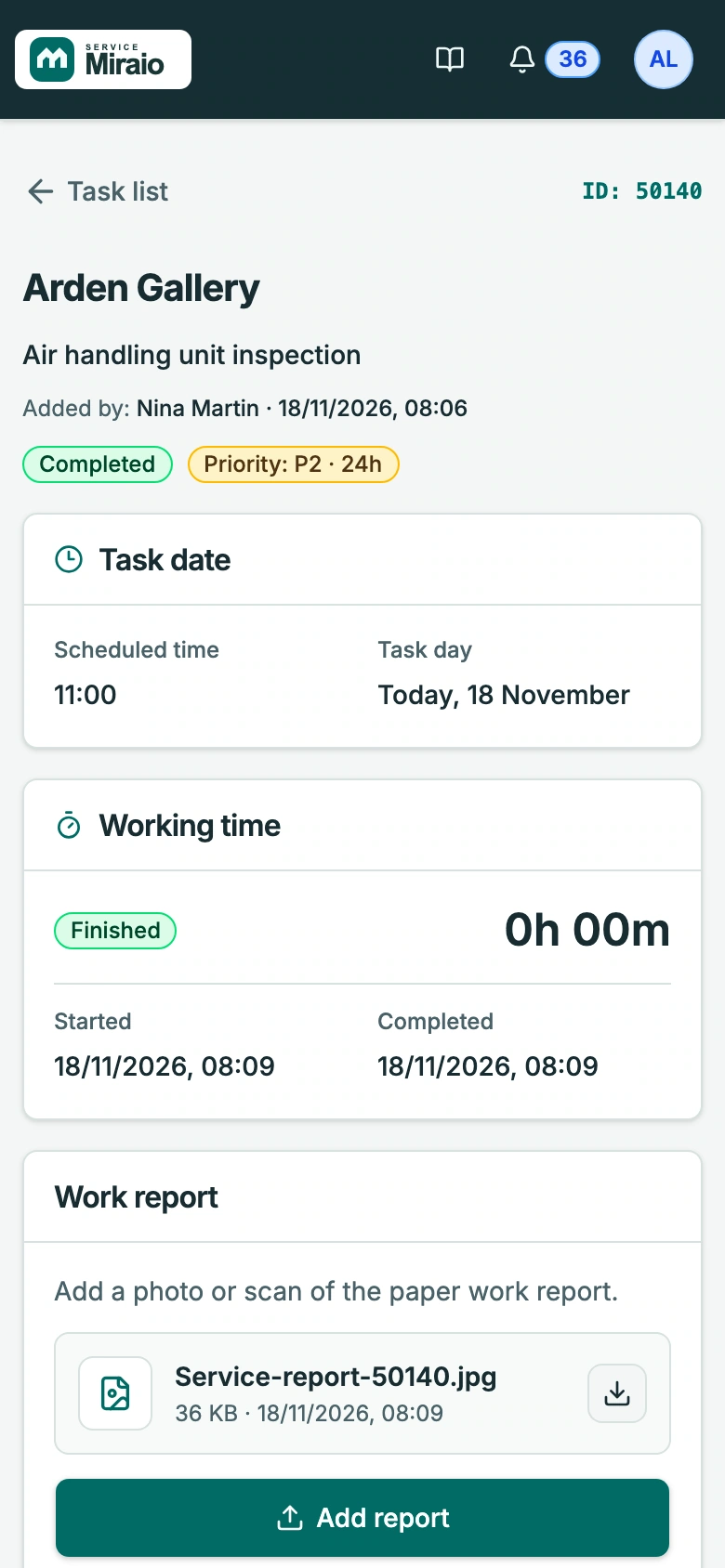
In the field
At the unit, the technician can check what the customer reported and record the work carried out. The office can find the hours, notes and service report in the same job.
See the technician’s viewPricing
30-day free trial When it ends, choose a paid plan to keep using the app.
For a small crew
For a team with a coordinator
For multiple field crews
Need to keep certain data on your company’s servers? We can design a custom hybrid deployment. We’ll agree on the scope and timeline with you and provide a tailored quote.
Ask about deploymentIt’s for owners, coordinators and field crews at air conditioning, refrigeration and ventilation companies. Coordinators schedule the work, and technicians see their assigned visits on their phones.
The customer is the person or business you work for. The site is where you carry out the work, such as the customer’s warehouse. Equipment, such as an air handling unit, belongs to a site. Each job describes a specific piece of work.
Enter the company and administrator details on the form and accept the required documents. We’ll email you an activation link. After setting your password, you can invite your team.
After the trial, choose a paid plan for your company. Plans differ in the number of users and service sites they include.

